Text messages
Four Line Activities by Four Line Software LLC · Questions: support@fourlinesoftware.com
About us
Four Line Software LLC, based in Nebraska, makes Four Line Activities: scheduling software for school and club activities. Athletic directors, assigners and club directors use it to schedule games, assign sports officials, staff game day, run buses and book gyms. Learn more about Four Line Activities.
Who gets texts
Four Line Activities sends texts only to adults who use it: sports officials, assigners, and the staff of schools, clubs and leagues (athletic directors, club directors, coaches and the like). Players and students never get texts and are never entered. Everyone joins by invitation from an organization that uses Four Line Activities. Texts are about the person's own games, events and account. Adult game-day volunteers (the clock, book or announcer at a school's games) can also sign up for reminders of the jobs they're scheduled to work, as described below. We never send marketing or promotional texts.
How people sign up
Texts are optional and off until a person turns them on. Everyone who uses Four Line Activities was invited by an organization they work with and signs in with their own account; sign-up for texts happens on their own Profile, at activities.fourlinesoftware.com/profile/.
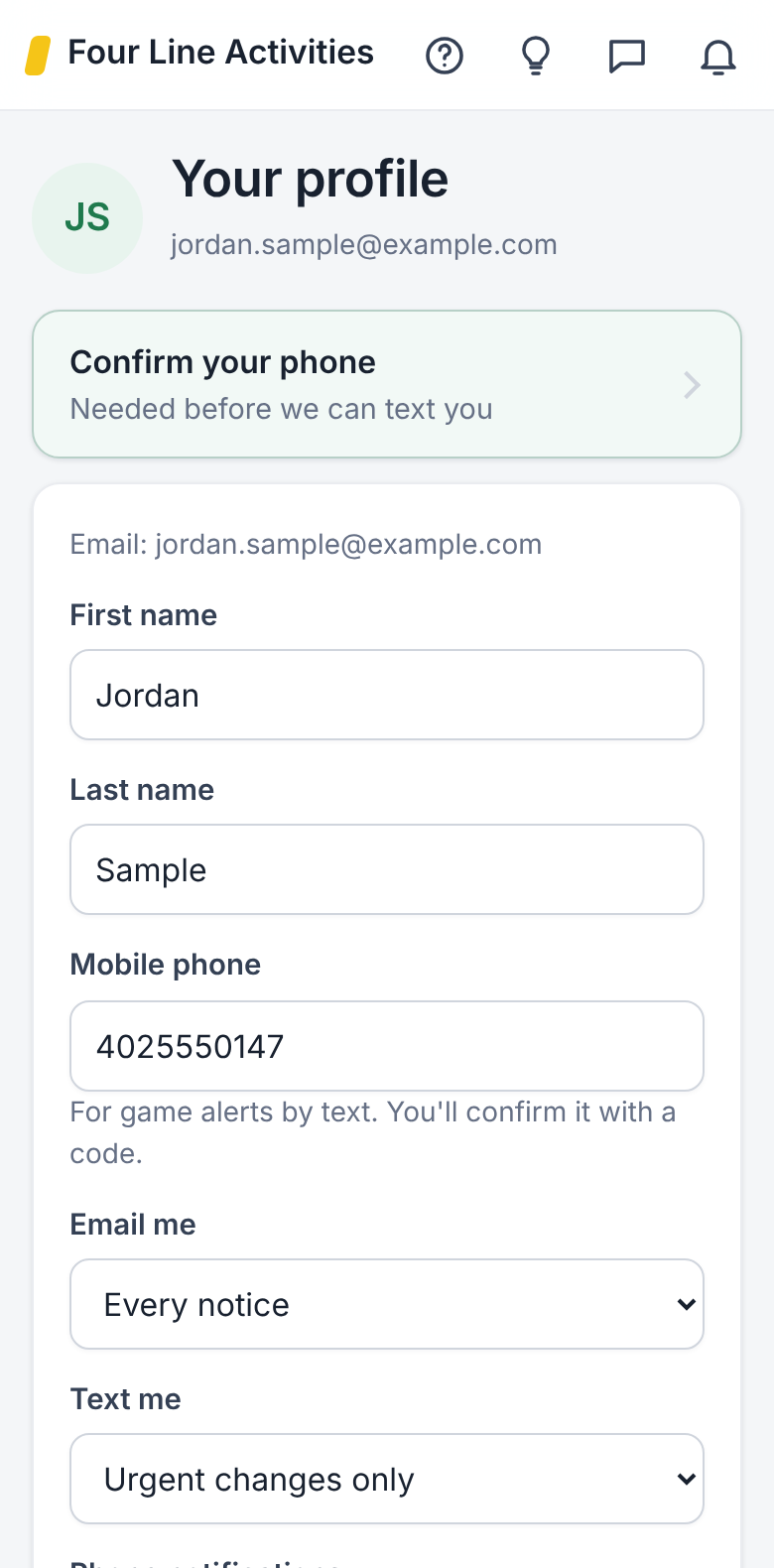
- On Profile, they enter their mobile number and tap Confirm your phone.
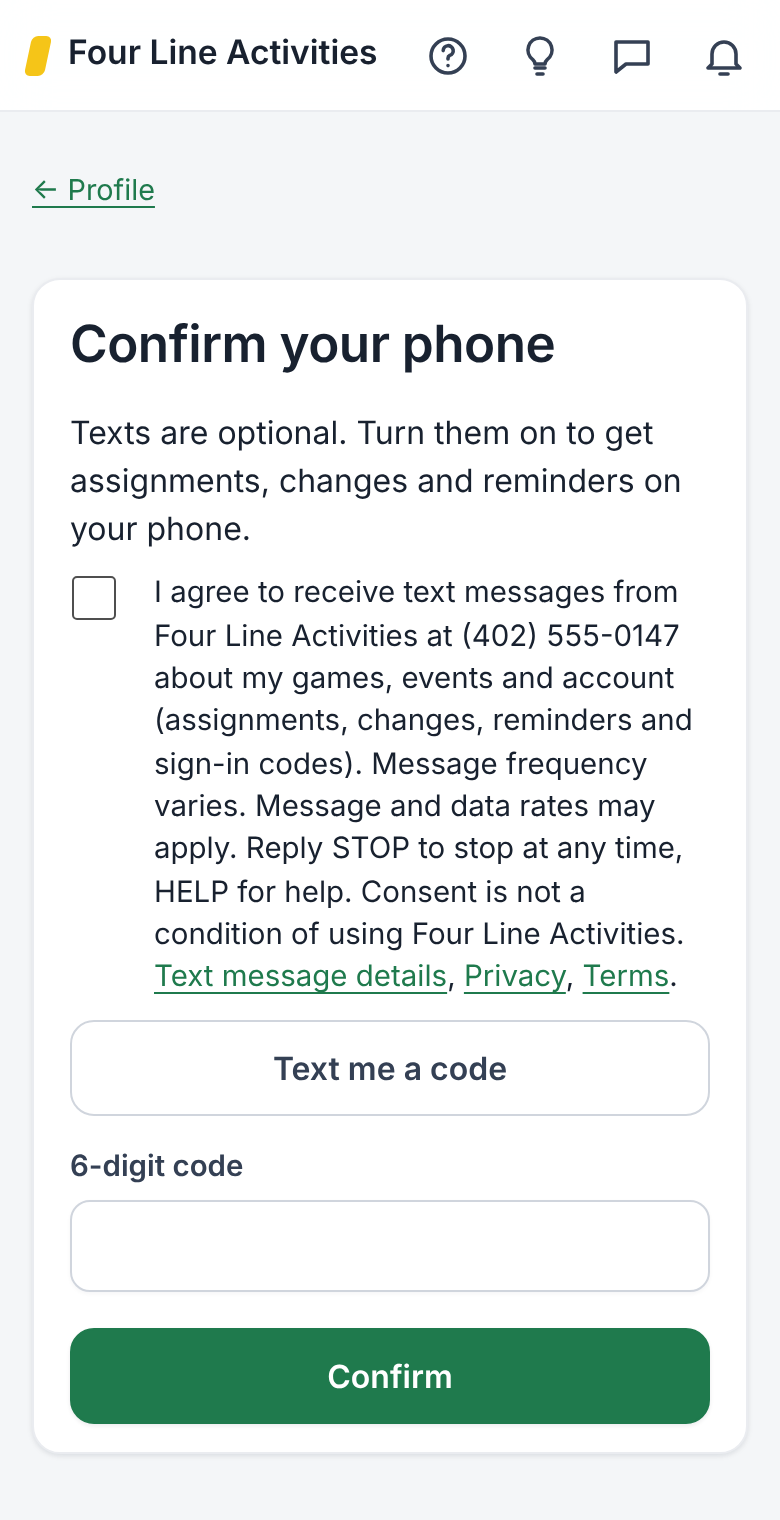
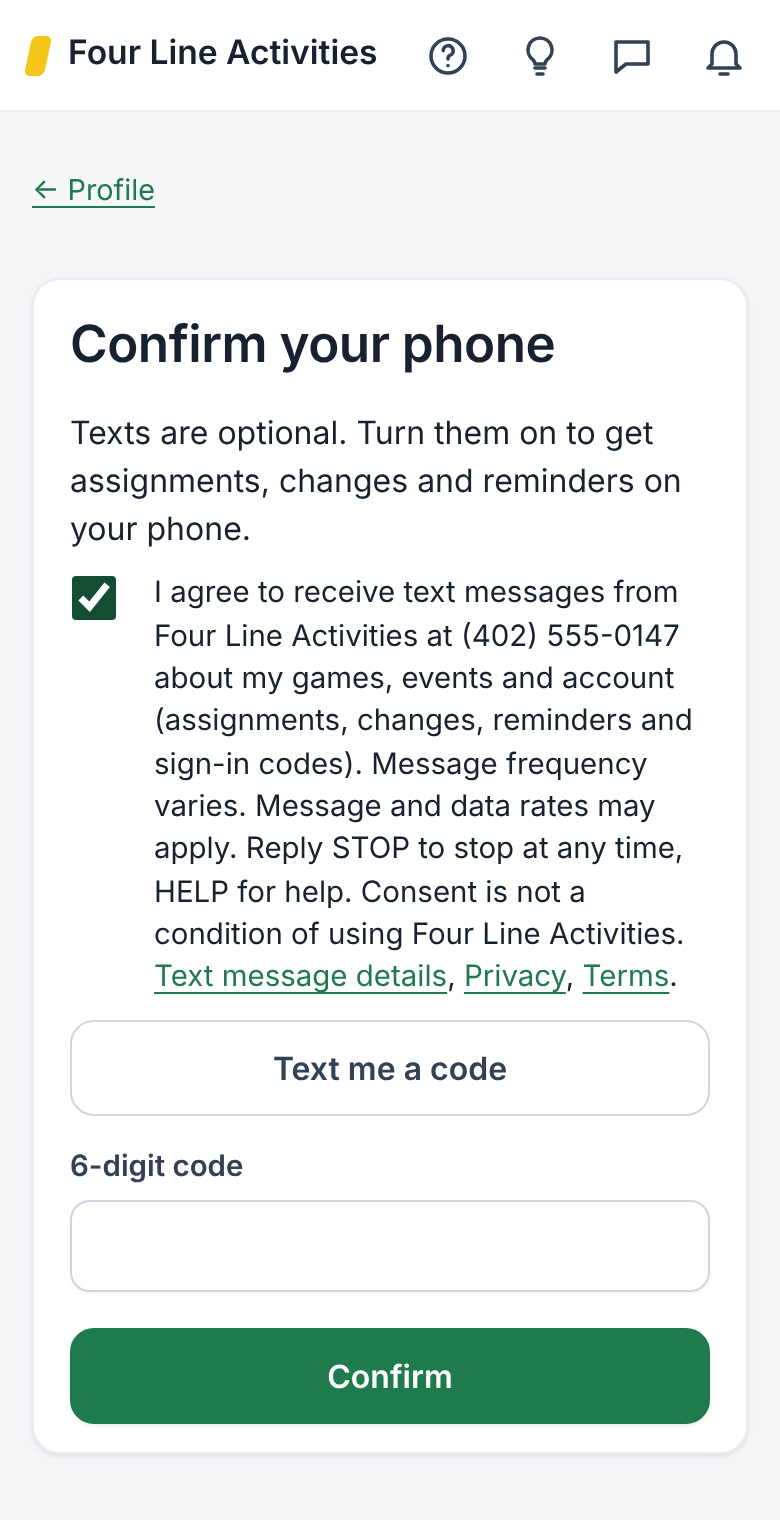
- On the Confirm your phone page they tick this box, which is never ticked for them:
"I agree to receive text messages from Four Line Activities at (their number) about my games, events and account (assignments, changes, reminders and sign-in codes). Message frequency varies. Message and data rates may apply. Reply STOP to stop at any time, HELP for help. Consent is not a condition of using Four Line Activities."
The box links to this page, our privacy page and our terms. Without the tick, no code is sent. - They tap Text me a code, then enter the 6-digit code. Texts begin only after the code is entered, starting with: "Four Line Activities: You're signed up for texts about your games, events and account. Msg frequency varies. Msg & data rates may apply. Reply HELP for help, STOP to stop." We record when they agreed.
- On Profile, they choose which notices come by text (all, urgent only, or none) and can set quiet hours.
Screenshots of the sign-up screens, which sit behind sign-in:
How game-day volunteers sign up
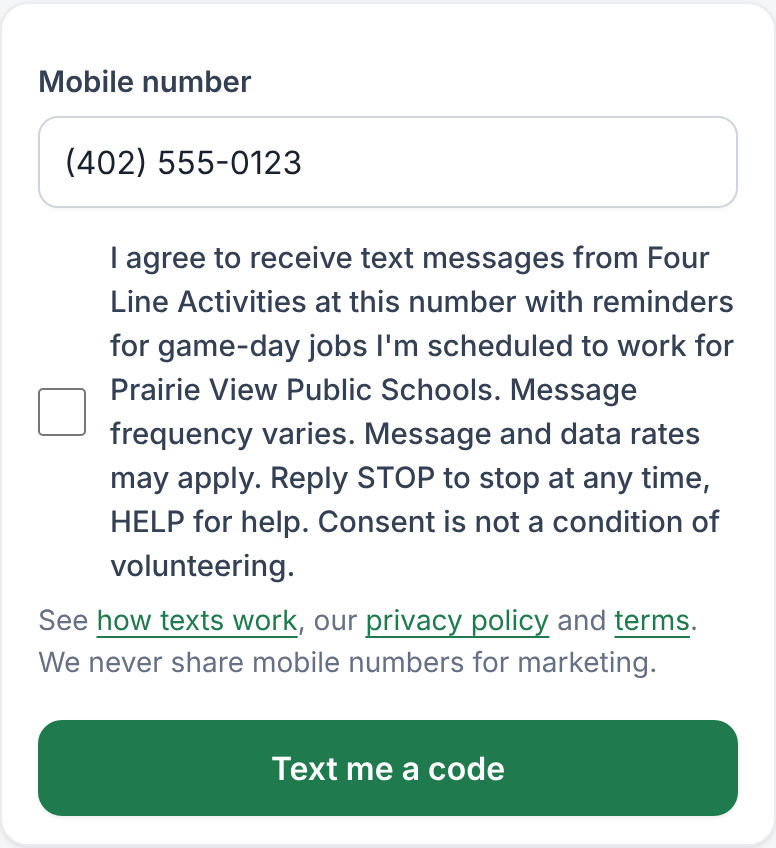
Some adults who work a school's games (running the clock, keeping the book, announcing) don't have an account. Their athletic director sends them a private link to their own sign-up page. There they enter their mobile number and must tick an unchecked box agreeing to texts:
"I agree to receive text messages from Four Line Activities at this number with reminders for game-day jobs I'm scheduled to work for (school). Message frequency varies. Message and data rates may apply. Reply STOP to stop at any time, HELP for help. Consent is not a condition of volunteering."
No code is sent until the box is ticked, and texts start only after they enter the 6-digit code we text them. A director can't turn texts on for someone; only the volunteer can. They can stop by replying STOP or with the Stop texts button on the same page.
Example messages
- Four Line Activities: New assignment: Varsity Boys Basketball, Oak Hill at Riverside (Fri Jan 9 7:30 PM), Referee ($75.00). Accept or decline by Wed Jan 7 5:00 PM. https://activities.fourlinesoftware.com/crewcall/slots/1234/
- Four Line Activities: DELAYED (Snow): JV Girls Basketball, Elm Creek at Prairie View moved from Thu Jan 15, 6:00 PM to 6:30 PM.
- Four Line Activities code to sign in: 482913. It expires in 10 minutes. Don't share it. Reply STOP to stop texts.
- Four Line Activities: Reminder from Riverside Public Schools: you're working Announcer: Varsity Girls Basketball vs Auburn, Friday, Jan 9, game 7:30 PM, setup 7:00 PM. Thank you! Reply STOP to stop.
How often
Message frequency varies with how many games and events a person has: usually a few texts a week during a season. Message and data rates may apply.
Stopping and help
Reply STOP to any text to stop all texts right away, and START to turn them back on. Reply HELP for help, or email support@fourlinesoftware.com. You can also change text settings on your profile at any time.
Your number stays private
We don't share, sell or rent mobile numbers or text consent with any third party or affiliate for marketing or promotional purposes. Details are on our privacy page and in our terms.